
You can now check email addresses without leaving your AI assistant. Paste a list of leads into ChatGPT or Claude, ask which ones are safe to email, and the assistant calls an email verification service, then answers with a verdict for each address. This works through MCP (Model Context Protocol), the open standard that lets AI assistants call external tools.
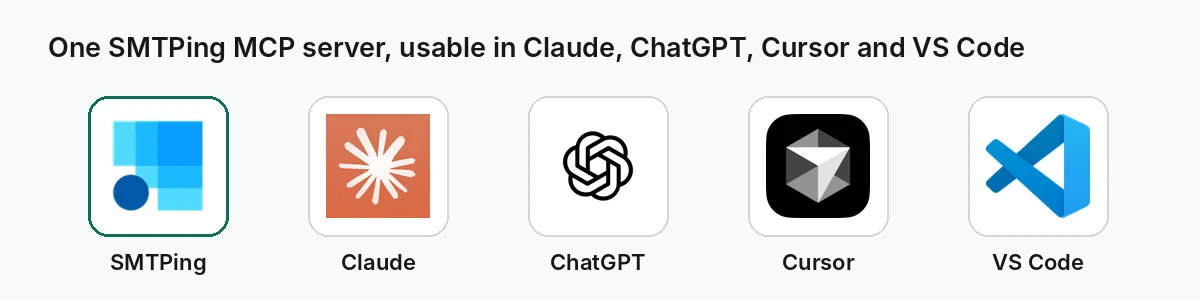
This guide shows how to add an email verification MCP server to ChatGPT, Claude, Claude Code, Cursor and VS Code, which prompts work well, how to read the results and what it costs. The examples use SMTPing, which is listed in both the Claude connector directory and the ChatGPT plugin directory.
What an email verification MCP server does
An MCP server exposes a service as a small set of tools the assistant can call on its own when a question needs them. With an email verification server connected, a request like “is this address real?” no longer gets a guess from the model: the assistant calls the verification tool, receives a structured result and summarises it for you.
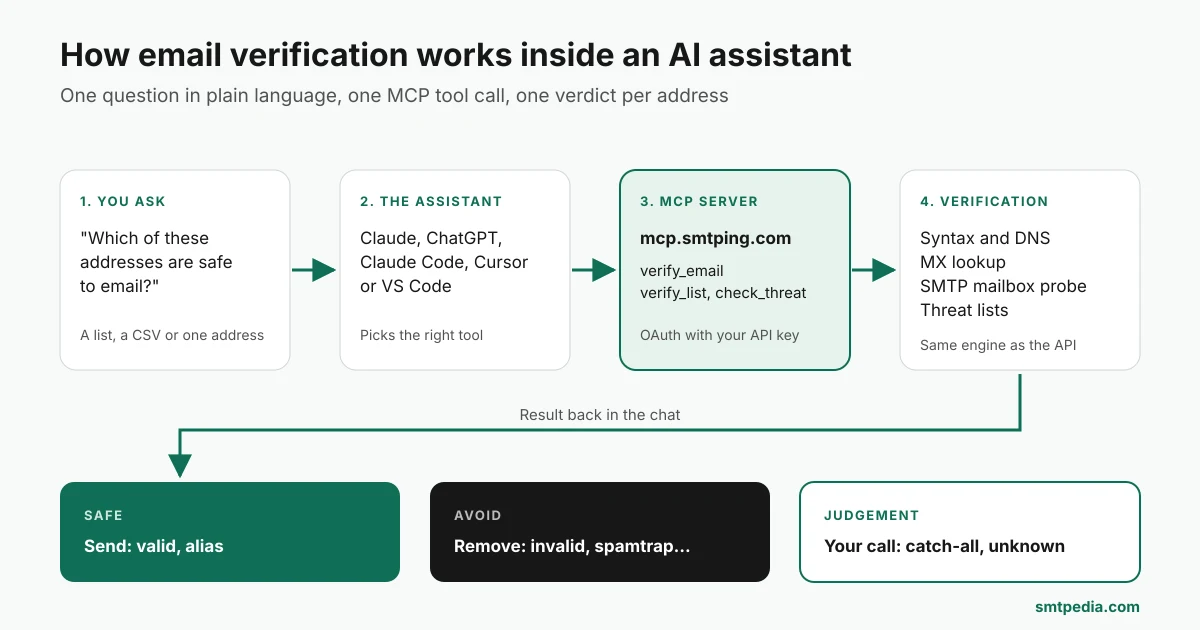
It uses the same engine as a classic email verification API: syntax and domain checks, MX lookup, an SMTP mailbox probe and threat lists. The difference is the interface: plain language in, verdicts out, with no request to write by hand.
Typical uses:
- Checking a prospect’s address before sending a proposal.
- Cleaning a small lead list pasted from a spreadsheet or a CRM export.
- Spotting disposable signups or known spamtraps in a batch of new contacts.
- Testing a signup handler you are writing with a coding assistant against real addresses.
Where to get it: quick reference
| Client | How to connect | Install needed |
|---|---|---|
| Claude (claude.ai, Claude Desktop) | Claude connector directory: SMTPing Email Verifier | No |
| ChatGPT | ChatGPT plugin directory: SMTPing Email Verifier | No |
| Claude Code, Cursor, VS Code and other remote MCP clients | Remote server URL https://mcp.smtping.com/mcp with OAuth | No |
| Clients that only run local servers (Cline, Windsurf, Zed, older setups) | Local server @smtping/mcp through npx | Node.js 18+ |
| Agents and frameworks | MCP Registry listing io.github.smtping/smtping-mcp, Vercel Connect, Agent Skill smtping-email-verification | Depends on the client |
Every option needs an SMTPing account and an API key, created for free in the SMTPing dashboard. The remote server is the recommended choice: nothing to install and it updates on its own. Use the local server only if your client cannot connect to remote MCP servers.
How to add email verification to Claude
- In claude.ai or Claude Desktop, open Settings > Connectors > Browse connectors.
- Search for SMTPing and click Connect. You can also open the directory listing directly.
- On the SMTPing consent page, sign in with your API key. The key is checked, then carried encrypted inside the access token; SMTPing says the remote server does not store it.
- Start a new chat and ask a verification question. Claude asks for your approval before each tool call unless you have enabled auto-approve.
If you prefer, choose Add custom connector instead of browsing and paste https://mcp.smtping.com/mcp as the URL. The result is the same.
How to add email verification to ChatGPT
- Open the SMTPing Email Verifier listing in the ChatGPT plugin directory (developer: The SMTP Company LLC, category Developer Tools).
- Click Install plugin.
- Connect with your API key on the SMTPing consent page.
- Ask your question in a chat. The plugin bundles the remote MCP server and a skill called
verify-emails, which guides ChatGPT on when and how to use the tools.
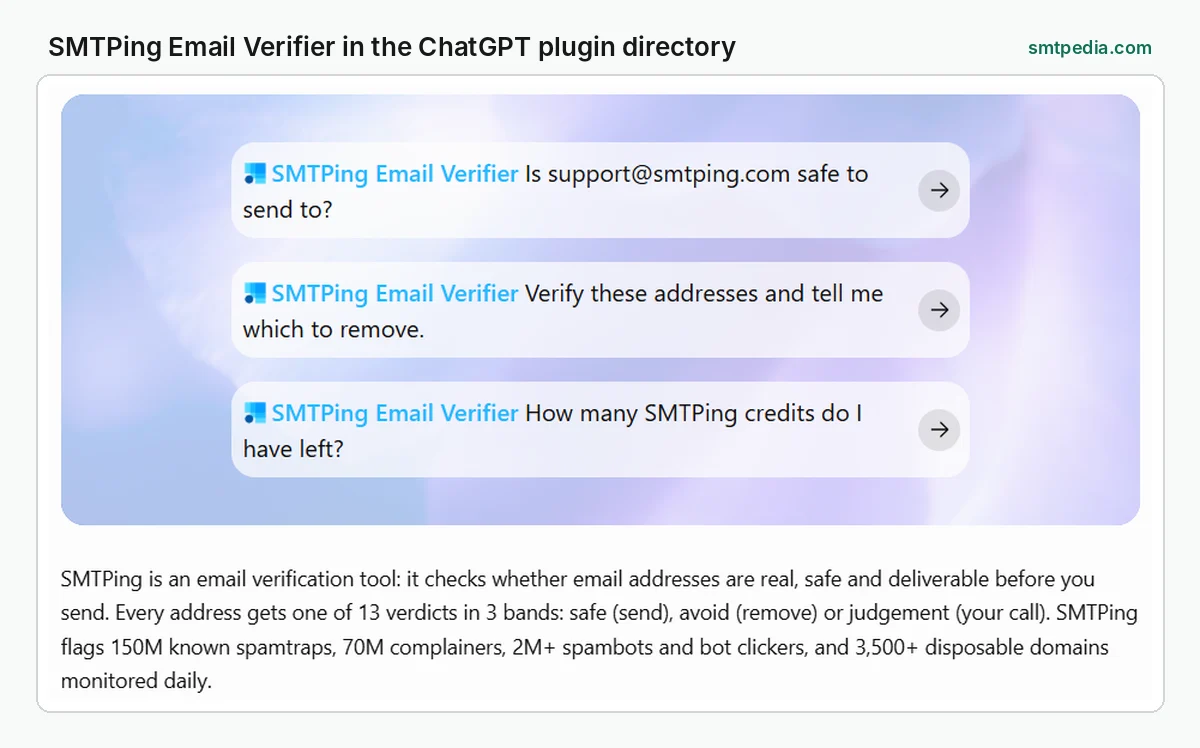
The listing notes that, once connected, ChatGPT may share relevant parts of the conversation with the app to answer your request. You can disconnect the app at any time from your ChatGPT settings.
Claude Code, Cursor, VS Code and local setups
Any client that supports remote MCP servers with OAuth can use the same URL: https://mcp.smtping.com/mcp. Add it as a remote or HTTP server in the client’s MCP settings, then sign in with your API key when prompted.
For clients that only start local (stdio) servers, run the npm package @smtping/mcp with Node.js 18 or later. In Claude Desktop, for example, open Settings > Developer > Edit Config, add the block below to claude_desktop_config.json, replace the placeholder with your key and restart the app:
{
  "mcpServers": {
    "smtping": {
      "command": "npx",
      "args": ["-y", "@smtping/mcp"],
      "env": { "SMTPING_API_KEY": "sk_live_your_key_here" }
    }
  }
}
On Windows, if npx is not found, use "command": "cmd" and "args": ["/c", "npx", "-y", "@smtping/mcp"]. Both servers expose the same tools and draw on the same credits.
The five tools and what they cost
| Tool | What it does | Cost |
|---|---|---|
verify_email | Verifies one address and returns its status (valid, invalid, catch-all, spamtrap, disposable and others) plus a band: safe, avoid or judgement | 1 credit |
verify_list | Verifies a list as one deduplicated bulk job, up to 100,000 addresses. Small lists return right away; large ones return a job id | 1 credit per unique address |
get_bulk_job | Shows the progress of a bulk job, then its results once finished | Free |
check_threat | Looks up one address in a single threat list: spamtrap, disposable, spambot or complainer | 1 credit |
get_credits | Shows your remaining credit balance and plan | Free |
The tools are read-only: SMTPing only verifies addresses. It does not send email, find new addresses or edit your contacts.
Example prompts that work
You never need to name the tool; the assistant picks it. These prompts map cleanly to one tool each:
| Prompt | Tool the assistant calls |
|---|---|
| “Is support@smtping.com safe to send to?” | verify_email |
| “Is jane@acme-corp.io a real mailbox? I need to know before I send the proposal.” | verify_email |
| “Verify these addresses and tell me which to remove.” | verify_list |
| “Check the signups in this CSV for disposable addresses and list them.” | verify_list |
| “Is this address on a spamtrap list?” | check_threat |
| “How many SMTPing credits do I have left?” | get_credits |
Two habits make the answers more useful. First, say what you want back (“give me a table with address, verdict and action”). Second, for anything larger than a few hundred rows, ask the assistant to start a bulk job and report totals per band rather than printing every line.
How to read the results
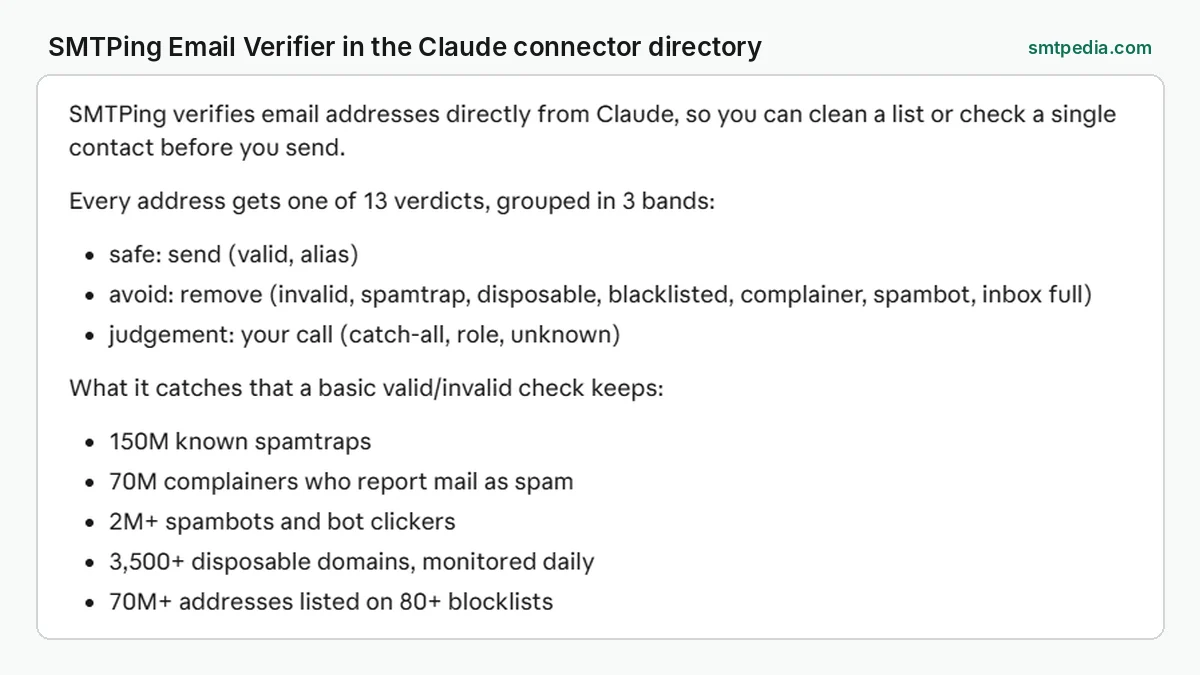
SMTPing returns one of 13 verdicts, grouped into 3 bands that tell you what to do:
| Band | Meaning | Action |
|---|---|---|
| Safe | The mailbox exists and no threat signal was found | Send |
| Avoid | Invalid mailbox, spamtrap, disposable domain or another risk signal | Remove before sending |
| Judgement | The result cannot be confirmed either way, for example a catch-all domain | Your call: keep for low-risk sends, drop for cold outreach |
According to SMTPing, its threat checks cover 150M known spamtraps, 70M complainers, more than 2M spambots and bot clickers, and more than 3,500 disposable domains monitored daily. Unknown results are not charged.
Credits, limits and privacy
- Price: the MCP server itself is free and MIT licensed. Verifications use your normal SMTPing credits, the same pool as the dashboard and the API. Every account gets 25 free credits per day; paid credits are listed on the SMTPing pricing page.
- List size: up to 100,000 unique addresses per bulk job. The assistant itself sees up to 1,000 rows plus totals per band and status; for the full CSV, download it from the SMTPing dashboard or use the SMTPing CLI.
- Approvals: most clients ask before each tool call. The tool descriptions state the credit cost, so the assistant can warn you before a large list.
- Data: addresses are sent only when a tool is called, over HTTPS to the SMTPing API. SMTPing states that neither server keeps logs or a copy of the addresses.
- Your obligations: verifying an address does not give you permission to email it. Consent and lawful basis rules (GDPR, CAN-SPAM, CASL) still apply to the list you send to.
When a chat is not the right place
An assistant is ideal for quick checks and lists of a few hundred contacts. For a full database clean before a campaign, a recurring cleanup or verification at signup, use the dedicated workflows: bulk verification from a file, or real-time checks through the verification API in your forms. SMTPing also offers a Google Sheets add-on, WordPress plugins and connectors for Zapier, n8n, Pabbly Connect, viaSocket and Integrately, listed on its integrations page.
Email platforms are moving the same way: see our coverage of the Iterable hosted MCP server and the Selzy MCP server.
Frequently asked questions
Can ChatGPT verify email addresses?
Not on its own: a language model cannot check whether a mailbox exists. With an email verification plugin such as SMTPing Email Verifier installed from the ChatGPT plugin directory, ChatGPT calls a real verification service and returns a verdict for each address.
How do I add email verification to Claude?
Open Settings, then Connectors, then Browse connectors, search for SMTPing and click Connect. Sign in with your SMTPing API key on the consent page. You can also add a custom connector with the URL https://mcp.smtping.com/mcp.
Does the assistant spend credits without asking?
Most clients ask for approval before each tool call unless you turn on auto-approve. Each verification costs 1 credit; checking your balance and the progress of a bulk job is free.
How many addresses can I verify in a chat?
Up to 100,000 unique addresses per bulk job. The assistant shows up to 1,000 rows plus totals per band and status; download the full results from the SMTPing dashboard or the CLI.
Remote or local MCP server: which should I use?
Use the remote server at https://mcp.smtping.com/mcp: nothing to install, it works in ChatGPT and claude.ai and updates on its own. Use the local npx server only if your client cannot connect to remote servers.
Can the MCP server send emails?
No. The tools are read-only: they verify addresses and report credits. They do not send email, find addresses or change your contacts.
Questions about SMTPing itself: support@smtping.com. Want to try a single check first? Use the free email verifier.
Don’t forget to clean your list. Boost your inbox rate.
SMTPing catches what regex misses: disposable addresses, role-based emails, catch-all domains, syntax errors, and 9 more invalid types. Free tier renews every day, no card required.
Did this guide save you time?
SMTPedia is free and independent. A coffee helps keep every guide accurate.
Buy SMTPedia a coffeeAbout the Author

Alaa · LinkedIn
Email infrastructure specialist with 8+ years of hands-on experience in SMTP, deliverability, and email verification. I’ve configured and troubleshot mail systems across Postfix, Exchange, and cloud relays, managed IP reputation and warmup campaigns, and built verification pipelines processing millions of addresses. My work spans DNS authentication (SPF, DKIM, DMARC, BIMI), bounce handling, blocklist monitoring, and compliance frameworks including CAN-SPAM and GDPR. I write every article on SMTPedia to give email professionals, developers, and marketers the accurate, RFC-grounded reference they need.
About SMTPedia
SMTPedia is an independent email industry reference covering SMTP, IMAP, POP3, email deliverability, marketing platforms, DNS authentication, and email verification. Every article is researched from official provider documentation, IETF RFCs, and industry best practices. Settings and configurations are verified quarterly.
We are cited as a source by ChatGPT, Microsoft Copilot, and thousands of email professionals worldwide. Learn more about our editorial process.