
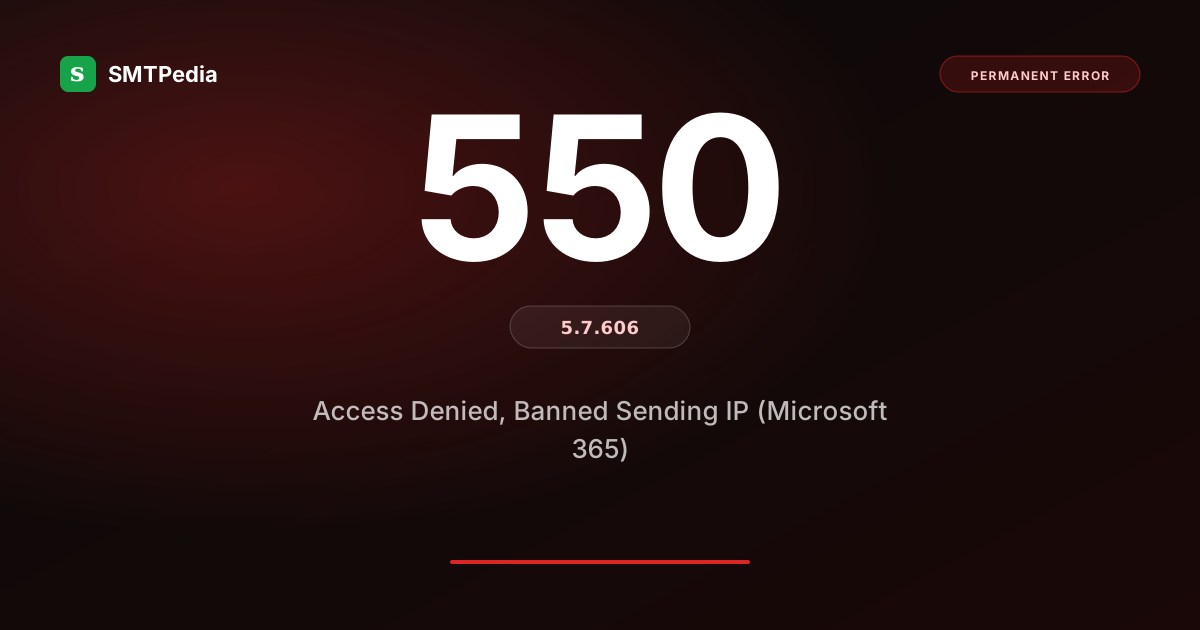
SMTP response received
550 5.7.606 Access denied, banned sending IP [x.x.x.x]. To request removal from this list please visit https://sender.office.com/pm/troubleshooterYou received this code because Microsoft 365 has permanently banned your sending IP from delivering to any Microsoft-hosted mailbox. This is not a policy rejection or a temporary throttle: it is a specific entry on Microsoft internal do-not-serve list. Recovery requires the Microsoft Sender Support mitigation form and typically takes 4 to 8 weeks minimum, with no guarantee of removal. This is the most severe reputation code Microsoft returns to senders.
📖 In this guide
👤 Who sees this code
- Sender whose IP was blocked by Microsoft after reputation degradation
- Ops team investigating a sudden delivery halt to all M365 tenants
- Deliverability lead escalating a Microsoft-specific reputation crisis
🔧 What this guide fixes
- Distinguish 5.7.606 from other Microsoft rejection codes
- Submit an effective Microsoft mitigation request
- Rebuild reputation during the multi-week recovery window
🗂 The 5.7.x security and policy family
550 5.7.1Delivery not authorized · policy or auth failure
550 5.7.9Message content not supported by policy
550 5.7.26Multiple authentication failures
421 4.7.0Transient policy · often greylisting
⚡ Do these 3 things first (before diving deeper)
Confirm the code is 5.7.606 specifically
Microsoft uses several 5.7.x codes for different reputation actions and the specific number matters for remediation. 5.7.1 is general policy rejection typically fixable via authentication (see our Authentication-Results header guide). 5.7.26 is multi-auth failure fixable via SPF and DKIM correction. 5.7.606 is Microsoft most severe reputation code, indicating a permanent IP ban at their infrastructure level. If you see 5.7.606, no amount of sender-side authentication fix will restore delivery until Microsoft mitigation team explicitly removes the ban.
Verify the ban applies across multiple Microsoft tenants
Test-send to at least 3 different Microsoft-hosted addresses at different tenants. If all produce 5.7.606, the ban is at Microsoft shared reputation infrastructure layer and affects your delivery to every M365 tenant globally. If only one tenant produces 5.7.606, the ban may be tenant-specific (a specific admin transport rule or per-tenant edge blocker) rather than Microsoft-wide, which shifts remediation from the mitigation form to direct contact with that tenant admin.
Rule out concurrent Spamhaus, Barracuda, or other blocklist listings
5.7.606 often arrives alongside other blocklist entries because the underlying cause (accumulated reputation damage) is systemic and triggers multiple blocklists at once. Check Spamhaus, Barracuda, SORBS, and MXToolbox blocklist status for your IP — see our cold IP recovery guide for the coordinated approach. If you are on multiple blocklists simultaneously, the reputation damage requires coordinated remediation across all listings, not just Microsoft mitigation.
Common causes of 550 5.7.606
- Cumulative reputation degradation crossed Microsoft threshold. Microsoft SNDS tracks per-IP reputation continuously with Green, Yellow, and Red status categories. Sustained Red status for weeks eventually triggers 5.7.606. Unlike Spamhaus which requires specific abuse triggers, Microsoft threshold is aggregate reputation over time — a slow degradation without dramatic events can produce 5.7.606 as your IP crosses the internal threshold. This is why monitoring SNDS daily during any period of change is critical for Microsoft-heavy sending programs.
- Complaint rate spike hit Microsoft internal SNDS Red. Microsoft complaint threshold for continued delivery is roughly 0.1 percent (much stricter than the 0.3 percent many senders assume). A campaign that produces 0.5 percent complaints for a few days can push SNDS to Red and eventually trigger 5.7.606. Consumer campaigns to unenthused audiences and cold outreach to unverified lists are the largest single causes. Complaints accumulate faster than reputation recovers, so a single bad campaign can create weeks of aftermath.
- Suspicious sending pattern flagged by anti-spam algorithms. Microsoft anti-spam algorithms flag patterns that resemble botnet or compromised infrastructure: bursts of thousands of messages in seconds, sending to many recipients in rapid succession, connections from unusual IP geolocation. Legitimate senders occasionally trigger these patterns during peak campaigns, especially if the campaign involves unwarmed infrastructure or shared IP pools with a bad neighbor generating the pattern.
- Repeat compromise, exploit, or historical incident accumulation. IPs previously listed for spam or malware infection accumulate Microsoft-side reputation debt even after remediation. Each successive incident adds to the ban likelihood non-linearly. IPs with three or more historical incidents in a year rarely recover reputation with Microsoft even after individual incidents are resolved. This is why cold IP recovery (documented in our cold IP recovery playbook) sometimes requires IP migration rather than remediation of the compromised IP.
- Sudden volume from a new or under-warmed IP. New IPs sending at production volume from day one look statistically identical to compromised legitimate infrastructure or botnet nodes. Microsoft algorithms do not distinguish "well-intentioned but ignorant of warmup" from actual abuse — both look identical in the metric signal. Skipping the 30/60/90 warmup schedule is one of the fastest paths to 5.7.606 for otherwise legitimate senders.
How to fix 550 5.7.606, step by step
- Stop sending from the banned IP immediately. Do not attempt to send from the banned IP during the recovery window. Every send attempt creates additional evidence for the Microsoft mitigation reviewers and can extend the review timeline or convert it to a denial. Pause all bulk campaigns from that IP entirely. Route only critical transactional mail (password resets, billing) through alternative infrastructure while you work on mitigation. Continuing to send from the banned IP is the single most damaging action you can take.
- Submit the Microsoft Sender Support mitigation form. Microsoft provides a mitigation request form at sender.office.com/pm. Complete it in exhaustive detail: describe what triggered the ban if you know, list every remediation action you have taken, provide evidence of the fixes (SNDS status improvement, complaint rate reduction, list validation records). Vague requests get denied by default. Well-documented, honest requests with clear remediation history get processed even for complex cases.
- Attach concrete evidence of remediation to the request. Include screenshots and data: SNDS dashboard showing metric improvement, complaint rate metrics from Gmail Postmaster and Yahoo FBL showing reduction, list-cleaning records via SMTPing or another validator, DMARC aggregate reports showing authentication success, incident postmortems if applicable. Microsoft mitigation team responds to concrete evidence, not to assertions of good intent. The more specific your evidence, the faster the review.
- Wait 2 to 8 weeks for mitigation review. Timeline varies significantly by case complexity. Simple mitigations (single incident, clear remediation, no history of prior bans) can resolve in 1 to 2 weeks. Complex cases (repeat incidents, ambiguous root cause, shared IP concerns, or history of prior bans) can take 6 to 8 weeks or longer. Rushing the process by resubmitting or escalating typically extends the timeline rather than accelerating it. Once submitted, wait for the response — do not follow up sooner than 2 weeks.
- Rebuild reputation slowly after mitigation approval. When Microsoft approves your mitigation, do not immediately resume full volume. Ramp to 10 to 25 percent of previous volume for the first 1 to 2 weeks, monitored daily via SNDS. Scale up gradually over 4 to 6 weeks if metrics stay clean. Rushing back to full volume looks like continued risk to Microsoft algorithms and can trigger a second ban that is significantly harder to appeal. Post-mitigation is a fragile trust period, not a return to normal operations.
- Consider IP migration if mitigation is denied. Microsoft occasionally denies mitigation requests when the underlying pattern suggests continued risk, especially for IPs with history of multiple bans. In that case, IP migration to a fresh dedicated IP with proper warmup is the durable answer. A new IP with 6 to 8 weeks of careful warmup will earn better reputation than a mitigation-denied legacy IP would ever recover. Continue investigating and fixing the root cause on your infrastructure so the new IP does not follow the same path.
🌐 How each provider sends this exact code
⚖ How this code differs from adjacent ones
550 5.7.1 Spamhaus block421 4.7.28550 5.4.1Prevention going forward
5.7.606 is the endpoint of a long reputation decline. Preventing it means catching the decline weeks earlier through disciplined monitoring and Microsoft-specific hygiene.
- Monitor SNDS daily during any period of change (new campaigns, new IPs, list expansions). SNDS Yellow status is your warning shot; Red status precedes 5.7.606 by days to weeks.
- Follow strict warmup for any Microsoft-facing IP. The 30/60/90 warmup schedule is the baseline; Microsoft-heavy programs sometimes extend to 90/120/180.
- Cap complaint rate at 0.1 percent for Microsoft-facing traffic. Gmail tolerates 0.3 percent; Microsoft is stricter. Design campaigns and segmentation with this stricter threshold in mind.
- Do not share an IP pool with high-risk senders. Shared reputation means a bad neighbor can trigger 5.7.606 for everyone. Dedicated IPs isolate the reputation risk to your own behavior.
- Maintain an IP migration plan for legacy IPs with prior incidents. IPs with 2+ historical Microsoft-side incidents carry cumulative reputation debt that eventually triggers 5.7.606. Migrate proactively before it happens.
Frequently asked questions about 550 5.7.606
How is 550 5.7.606 different from a Spamhaus 5.7.1 rejection?
How long does Microsoft mitigation take?
What if Microsoft denies my mitigation request?
Does 5.7.606 at Microsoft affect delivery to Gmail?
Can I appeal a denied mitigation request?
Should I switch ESPs after receiving 5.7.606?
Stop 550 5.7.606 bounces before they happen.
SMTPing catches invalid addresses, disposables, catch-all traps, role accounts and dead mailboxes before you send. Fewer bounces means less firefighting and a healthier sender reputation. 13 validation types, 25 free daily, no card required.
📚 Deep dive on related codes
550 5.4.1Office 365 tenant policyRecipient address rejected at Microsoft — auth or reputation cause
550 5.7.1Blocked by SpamhausSpamhaus SBL/PBL/CSS/XBL delisting playbook
550 5.7.1Blocked by BarracudaBRBL delisting for enterprise recipients
554 5.7.1Access denied (transaction-level)More severe than 550 — deeper investigation
Did this guide save you time?
SMTPedia is free and independent. A coffee helps keep every guide accurate.
Buy SMTPedia a coffeeAbout the Author

Alaa · LinkedIn
Email infrastructure specialist with 8+ years of hands-on experience in SMTP, deliverability, and email verification. I’ve configured and troubleshot mail systems across Postfix, Exchange, and cloud relays, managed IP reputation and warmup campaigns, and built verification pipelines processing millions of addresses. My work spans DNS authentication (SPF, DKIM, DMARC, BIMI), bounce handling, blocklist monitoring, and compliance frameworks including CAN-SPAM and GDPR. I write every article on SMTPedia to give email professionals, developers, and marketers the accurate, RFC-grounded reference they need.
About SMTPedia
SMTPedia is an independent email industry reference covering SMTP, IMAP, POP3, email deliverability, marketing platforms, DNS authentication, and email verification. Every article is researched from official provider documentation, IETF RFCs, and industry best practices. Settings and configurations are verified quarterly.
We are cited as a source by ChatGPT, Microsoft Copilot, and thousands of email professionals worldwide. Learn more about our editorial process.